
For the garage, the shed and the storage unit
Which box
is it in?
Doovalacky tells you. List your places, your boxes and what's in them, and stick a QR label on every box. Search for the drill and it tells you the box, and where the box is. Scan a label and the box opens on your phone, with everything inside. No account, no cloud: it all stays on your device.
Price to come. It isn't open yet, so there's nothing to pay.
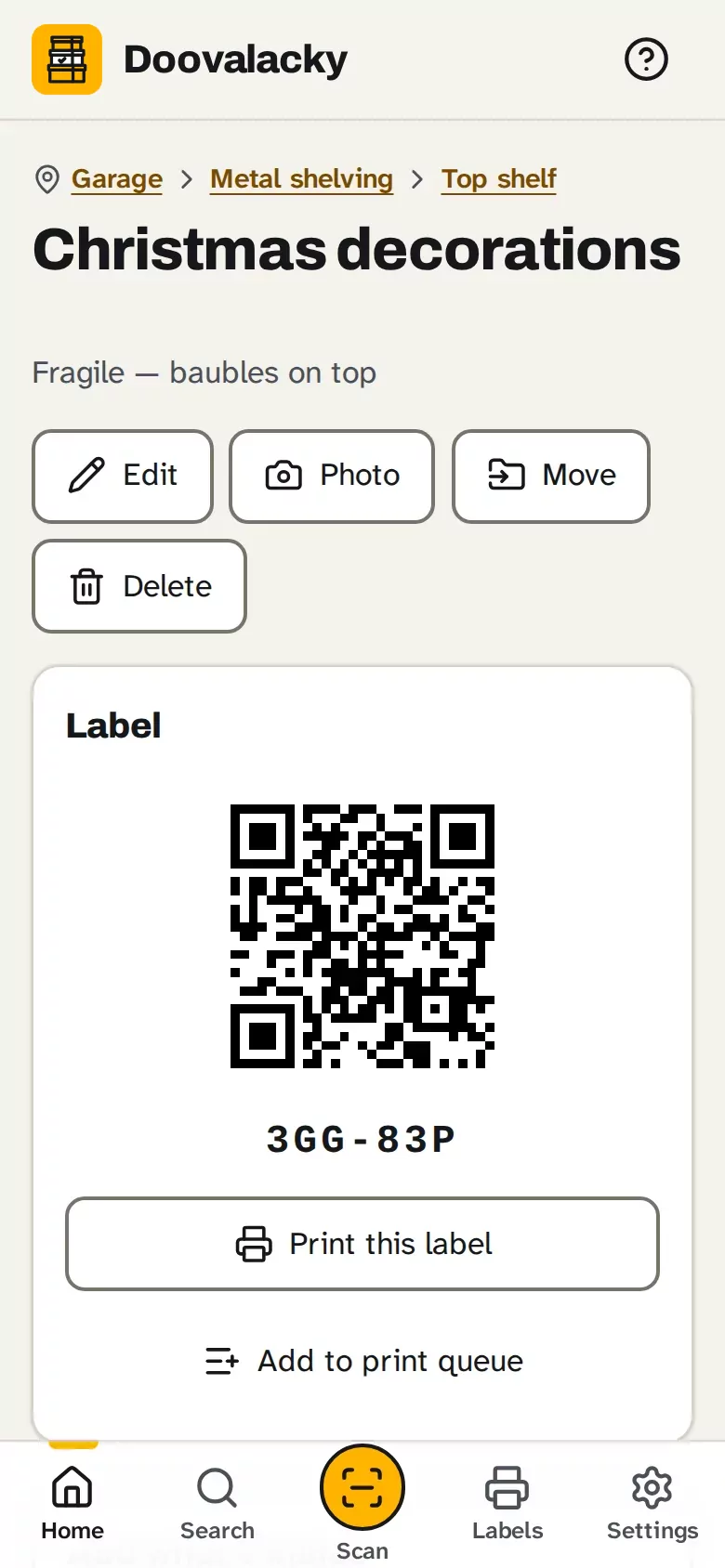
- Places inside places: the garage, the shelving, the top shelf, then the box.
- A QR label for every box, printed on standard Avery A4 sheets, even half-used ones.
- Search for a thing and it tells you the box, and where the box is.
- Scan a label and the box opens, with everything that's inside.
- Type a thing, press Enter, type the next. Add photos, tags and notes if you like.
- Works with no signal on a phone, tablet or computer. Everything stays on your device.
On the phone, the tablet or the computer
Pack and scan with the phone in your pocket, check what's in a box on the tablet, and print a sheet of labels from the computer. Each device keeps its own copy, and a backup file moves your boxes from one to another.
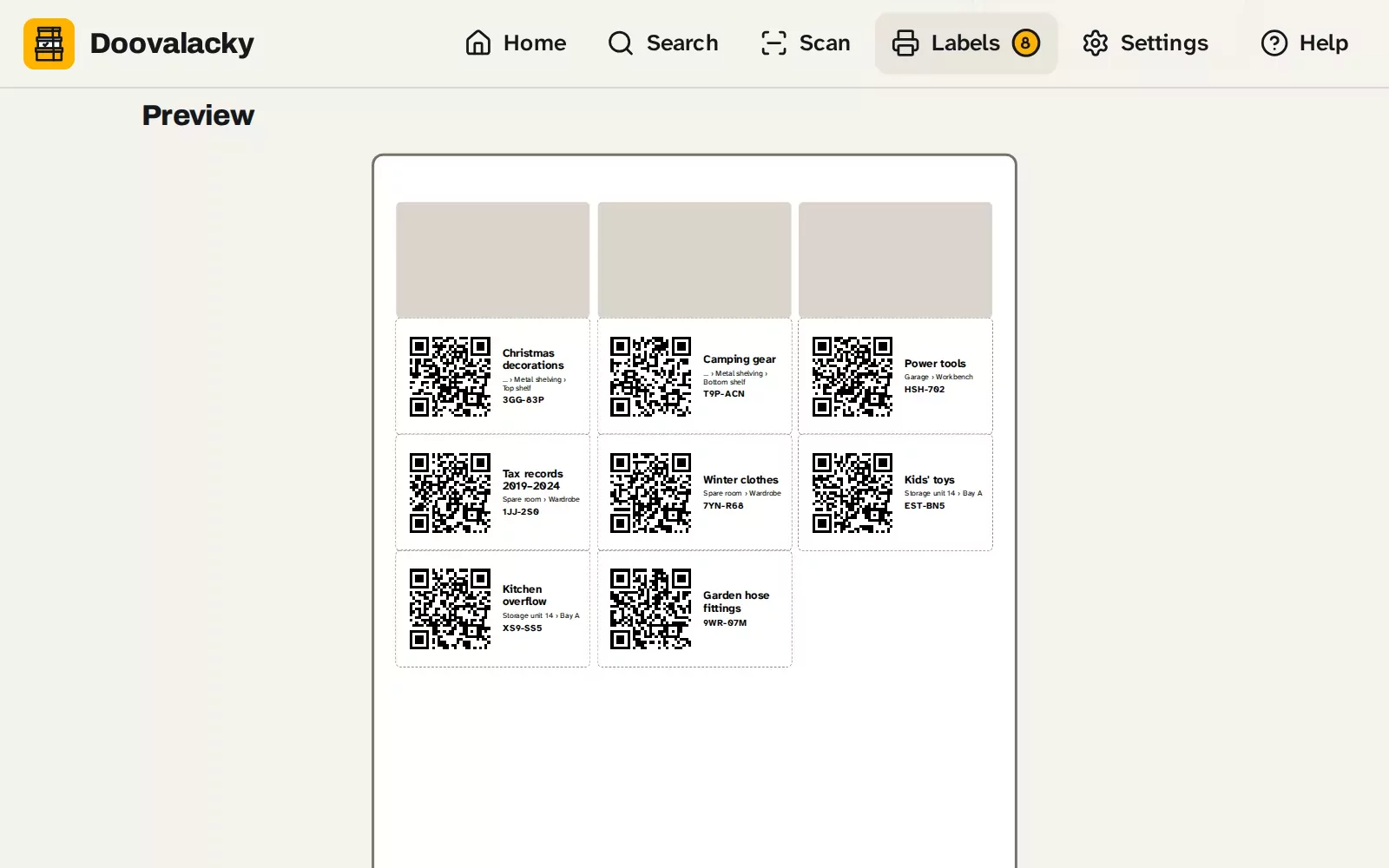
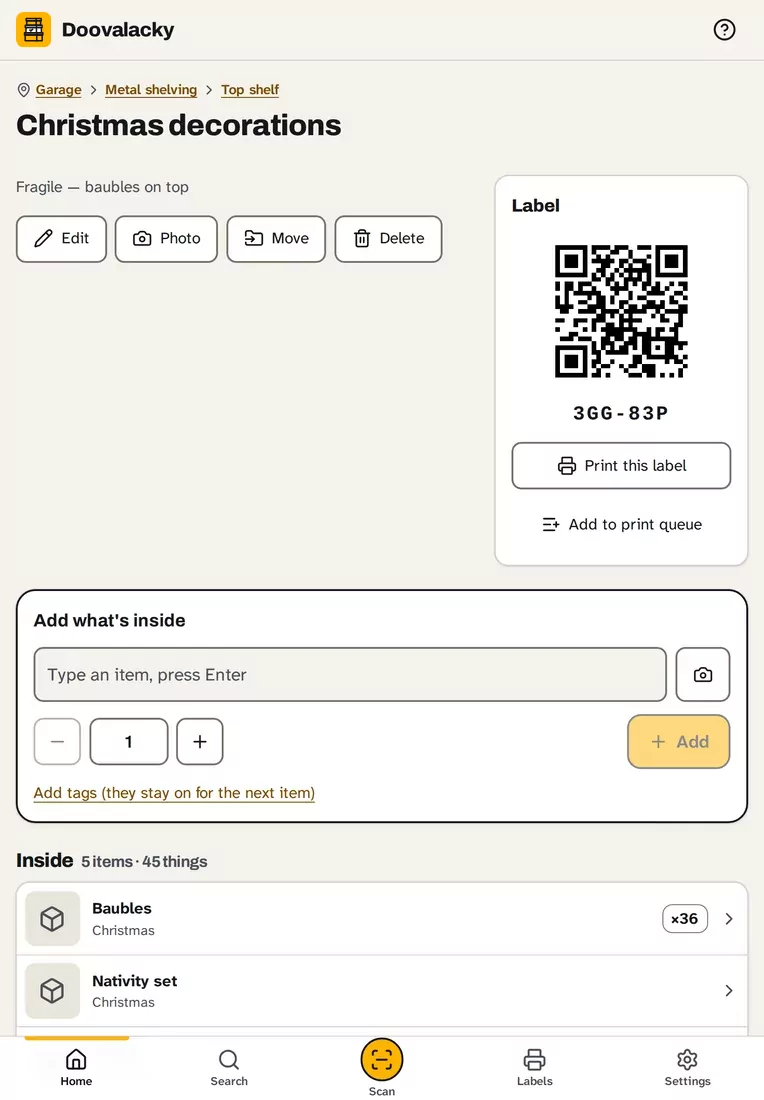
Doovalacky's made-up sample boxes on a computer, a tablet and a phone: a sheet of labels ready to print, a box with its label and what's inside, and every place with how many boxes it holds. Tap any screen to see it full size.
A one-minute look around
A quick walk through Doovalacky with made-up boxes: searching for the drill, places inside places, a box and its label, adding what's inside, printing labels on a half-used sheet, scanning a label, and the user guide.
A one-minute tour with captions and no sound, so you can watch it anywhere. Every place, box and thing in it is made up.
What it does
Everything you'd otherwise scrawl on the side of the box in marker, and then forget which side.
-
Places inside places
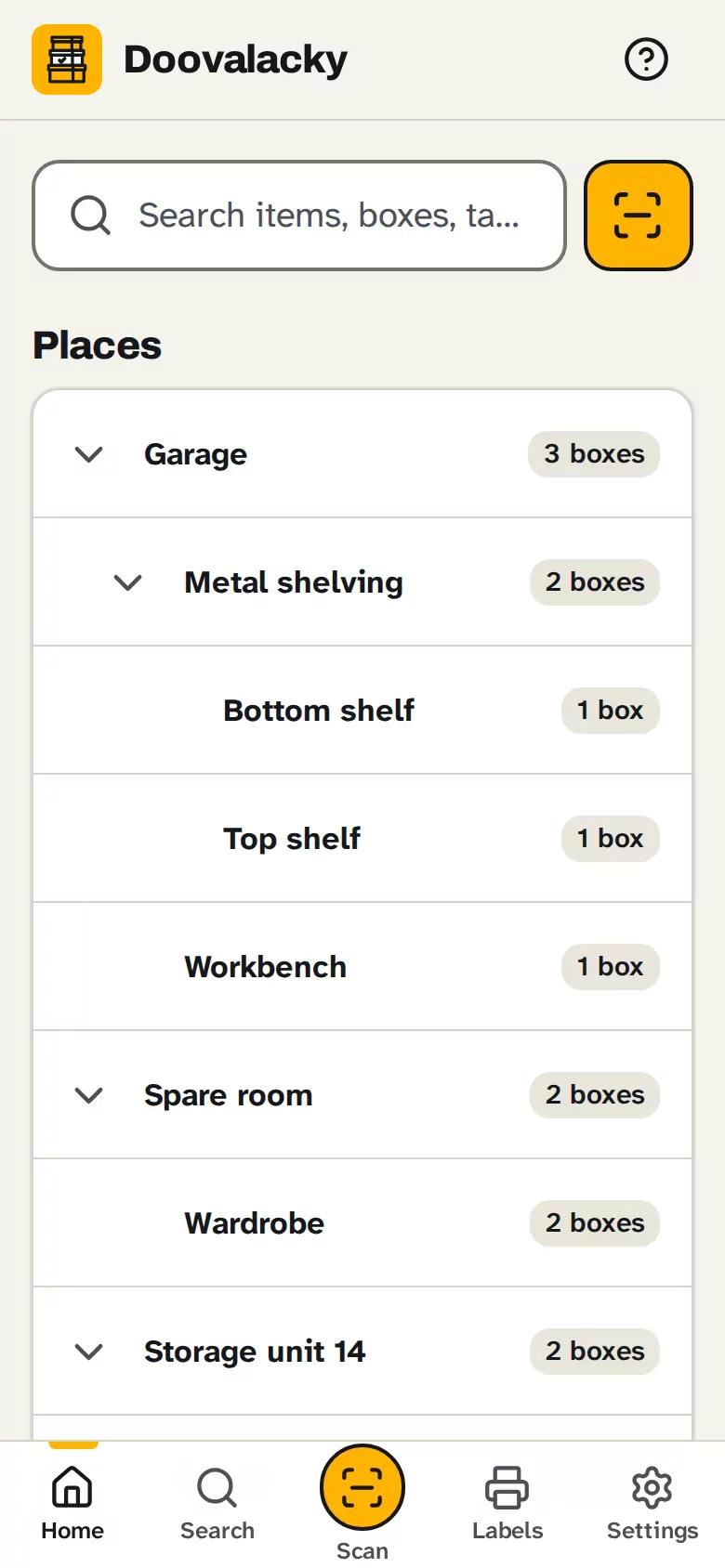
The house, the garage, the shed or a storage unit, and the shelves, bays and wardrobes inside them, as deep as you like. Home shows them all as a tree, with how many boxes each one holds.
-
Boxes and what's inside
Give a box a name and a place, then type what goes in: a thing, Enter, the next thing. Add a quantity, a photo, tags or a note to anything, or just a name. The ladder on the wall can go in too, as a loose item.
-
Search everything
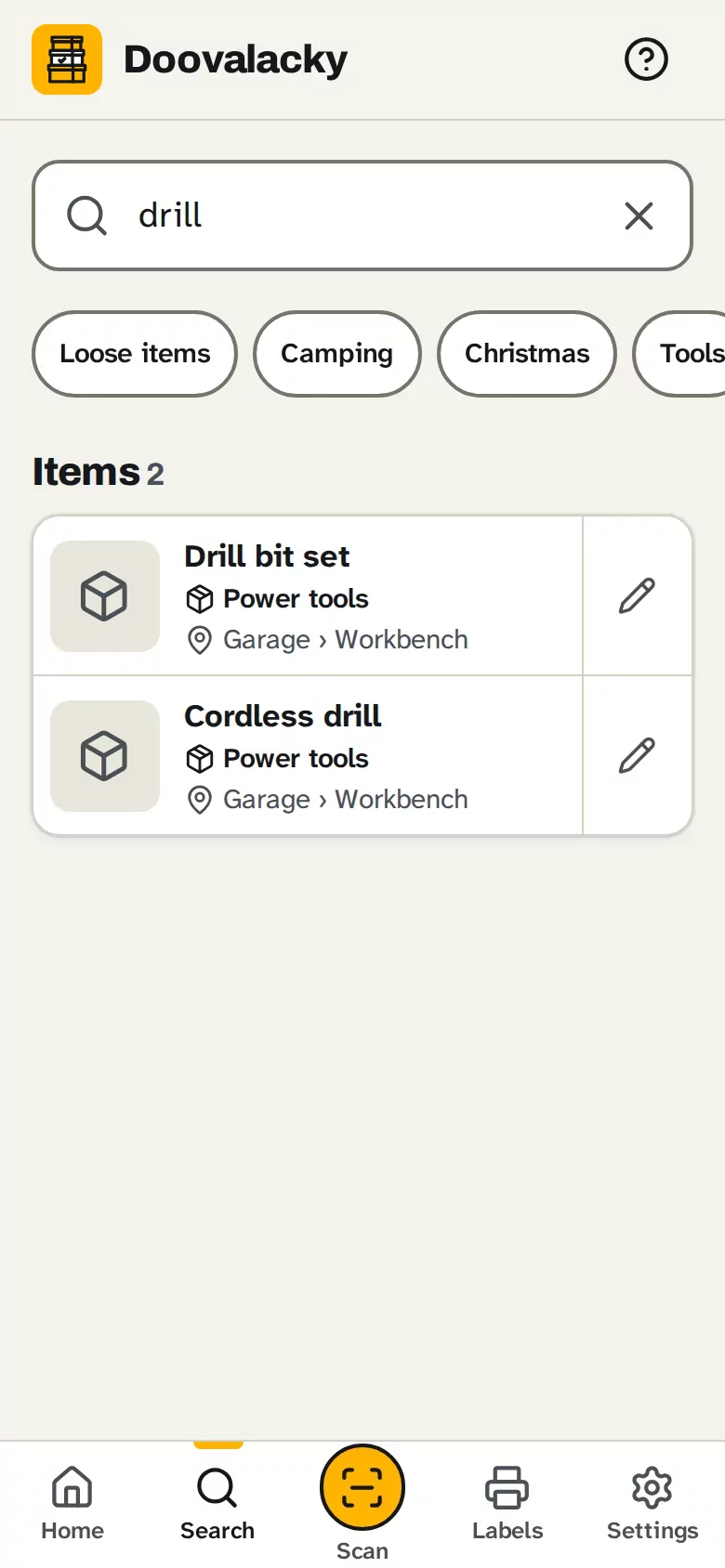
Search every thing, box, tag and note at once. Each result shows the box it's in and where that box is, so you know where to walk to. Tap a tag, like Christmas, to narrow it down.
-
Scan a box
Point your phone at a box's label and the box opens, with everything inside. Scuffed label? Type the short code printed on it instead. Scanning happens on your phone, and the camera picture goes nowhere.
-
Labels on Avery sheets
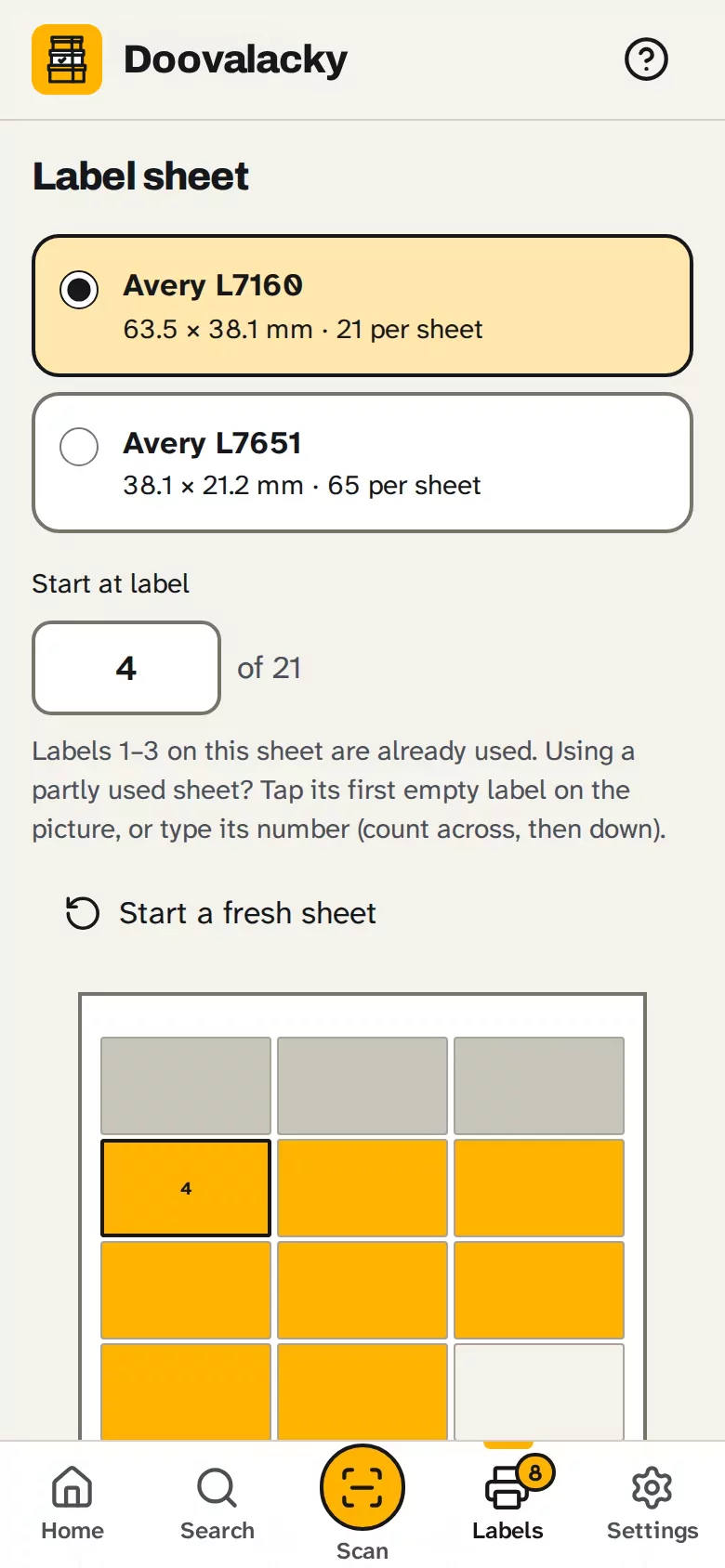
Print on Avery L7160 (21 to a sheet) or L7651 (65 small ones), or any sheet sold to match. Each label has the QR code, the box's name, where it lives and its code. Half-used sheet? Tap the first empty label and it starts there.
-
Print before you pack
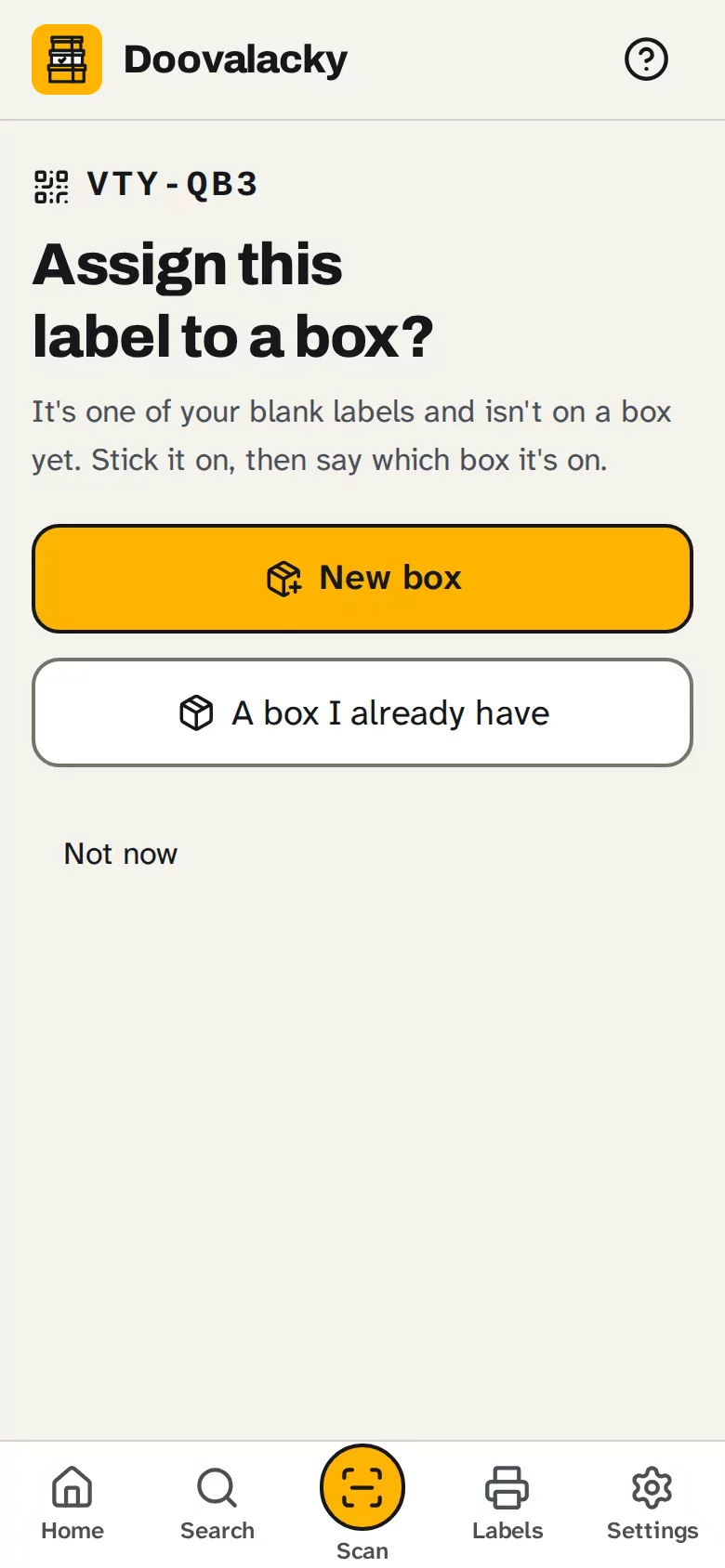
Moving house in a hurry? Print a sheet of blank labels first and stick one on each box as you fill it. Scan it later and give it a name, or put it on a box you've already got. Blank sheets are part of Pro.
A look inside
Real screens from Doovalacky, filled in with made-up boxes and things.
How it works
Add your places
The garage, the shed or the storage unit, and the shelves or bays inside them. A couple of minutes, and you can move things around later.
Add a box and what's in it
Name the box for what's in it, choose its place, then type the things that go in, one after another.
Print the labels
On an Avery A4 sheet, from your phone or computer. Stick each one on its box.
Find it later
Search for the thing, or scan the box's label. It tells you what's inside and where the box is.
Pricing
The price is still to come, and it'll be here before Doovalacky opens. Nothing's for sale yet, so there's nothing to pay.
When it opens
Price to come announced before it opens
Pro adds as many boxes as you like and sheets of blank labels to print before you pack. Whatever the price, your boxes stay on your phone and a backup file is always yours to keep.
Right now
Private testing nothing to pay
It's being tested before it opens. Register your interest to hear when it does.
Where your data lives
- Your places, boxes, things and photos are stored in your browser on your device
- There is no account, no server, no sign-in and no analytics
- Scanning happens on your phone. The camera picture isn't kept or sent anywhere
- A backup is a single file you save yourself, photos included, to email, Drive or iCloud
- Once it's for sale, the only thing sent will be your licence key, to check it
What it isn't
- A cloud service. Nothing syncs between devices; a backup file moves everything across.
- Shared. Two people can't work on the same boxes at once from their own phones.
- An insurance list. There are no prices, receipts or valuations.
- Business stock control. It's made for a household's boxes.
Put it on your phone
When it opens, Doovalacky is a web app you add to your home screen like a normal app. No app store, and it works with no signal: in the shed, under the house or at the storage unit. On an iPhone, adding it to the home screen also makes Safari much less likely to clear your data.
iPhone or iPad
- Open Doovalacky in Safari.
- Tap the Share button.
- Choose Add to Home Screen, then Add.
Android phone or tablet
- Open Doovalacky in Chrome.
- Tap the three-dot menu.
- Choose Install app or Add to Home screen.
Laptop or desktop
- Open Doovalacky in Chrome or Edge.
- Click the install icon at the right of the address bar.
- It opens in its own window from then on.
Help sheets
Step-by-step sheets with a picture for every step, for iPhone, iPad and Android. Print them, or keep them on the phone.
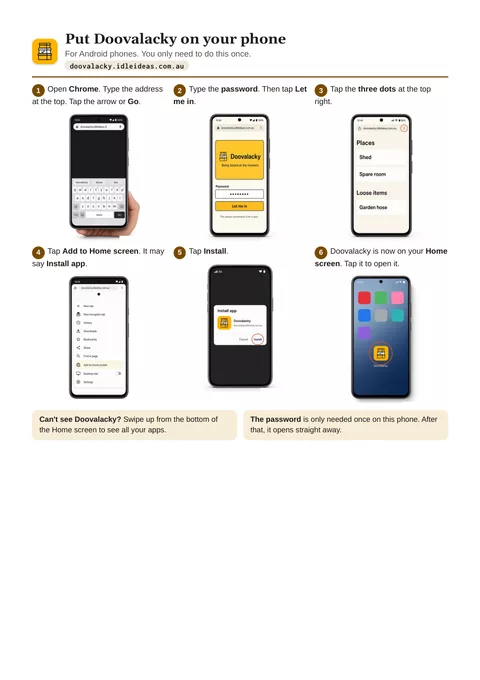
Put Doovalacky on your phone
Six steps for Android, then six for iPhone and iPad, from opening the browser to Doovalacky's icon on your Home screen.
Open the sheetPDF, two A4 pages, 539 KB.
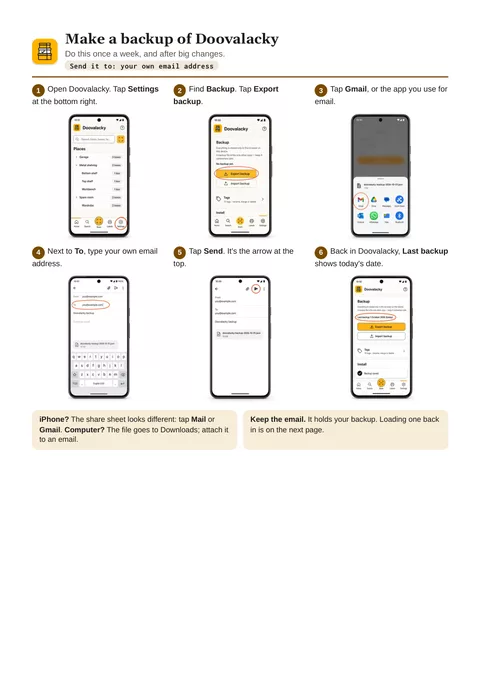
Backups: make one, load one
Page one emails a backup to yourself. Page two puts it back, on the same phone or a new one.
Open the sheetsPDF, two A4 pages, 581 KB.
Questions
What labels do I need?
A4 sheets of Avery L7160 (21 labels, 63.5 × 38.1 mm) or Avery L7651 (65 small labels, 38.1 × 21.2 mm), or any sheet sold as compatible with them. Print at 100%, not "fit to page". First time with your printer? Print a test on plain paper with the outlines on and hold it against a sheet up to the light.
Can I use a sheet that's already half used?
Yes. Tap the first empty label on the picture of the sheet, or type its number, and printing starts there. After a print, Doovalacky remembers where the next one starts.
What if a label gets scuffed or wet?
Every label has a short code printed on it, like K7M-2QX. Type it on the Scan screen and the box opens. Characters that look alike, like O and 0, count as the same, so it's hard to get wrong. You can reprint a box's label any time.
Can I scan with my phone's own camera?
Yes: a label opens its box in the browser. On an iPhone or iPad with Doovalacky on the home screen, use Doovalacky's own Scan button instead, because the Camera app opens Safari, which keeps a separate copy. A label only opens its box on a device that has that box.
What are blank labels for?
For packing in a hurry. Print a sheet first and stick one on each box as you fill it. Later, scan one and choose New box to name it, or A box I already have. Printing blank sheets is part of Pro.
Does it work with no signal?
Yes. Once it's on your home screen it works in the shed, under the house or at the storage unit, because everything's on your phone. Activating Pro needs a connection once. After that, Pro stays on for up to 30 days at a time with no signal.
What happens if I lose my phone?
Your boxes live on your device only, so losing it or clearing the browser loses them too, unless you've got a backup. Doovalacky reminds you. A backup is a single file, photos included, that you can email to yourself or keep in Drive or iCloud, and it restores on a new phone or a computer.
Can two of us use it?
Not live. There's no server, so each device keeps its own copy. You can move everything from one device to another with a backup file, but that replaces what's on the other device.
Is there a guide to get me started?
Yes. A step-by-step user guide is built in, behind the question mark at the top: getting started, places, boxes, labels, scanning, blank labels, backups and more. While you set up, a tip on each step opens the right part of it.
When can I get it, and what will it cost?
It isn't open yet. It's in private testing, and the price will be here before it opens. Register your interest and you'll get one email when it opens.
Doovalacky is looking for testers.
It's being tested on real boxes right now. If you've got a garage, shed or storage unit full of boxes and want to try it, email doovalacky@idleideas.com.au and say roughly how many boxes you've got.