

For Australian parents of school-age kids
Know where they need to be.
Plan for what they love.
Sport, music, swimming, school and the dentist: every kid's week in one place, with what to bring and who's driving. Set an activity up once and it fills the week, with your state's school terms and holidays already in. It keeps track of what you spend on each of them too, so the term fees and new boots never catch you out. Everything lives on your own device — no account, no cloud, and nothing about your kids sent anywhere.
14 days free from when you name your family or add your first kid, then A$39.99 a year or A$4.99 a month. Cancel any time. Works offline.
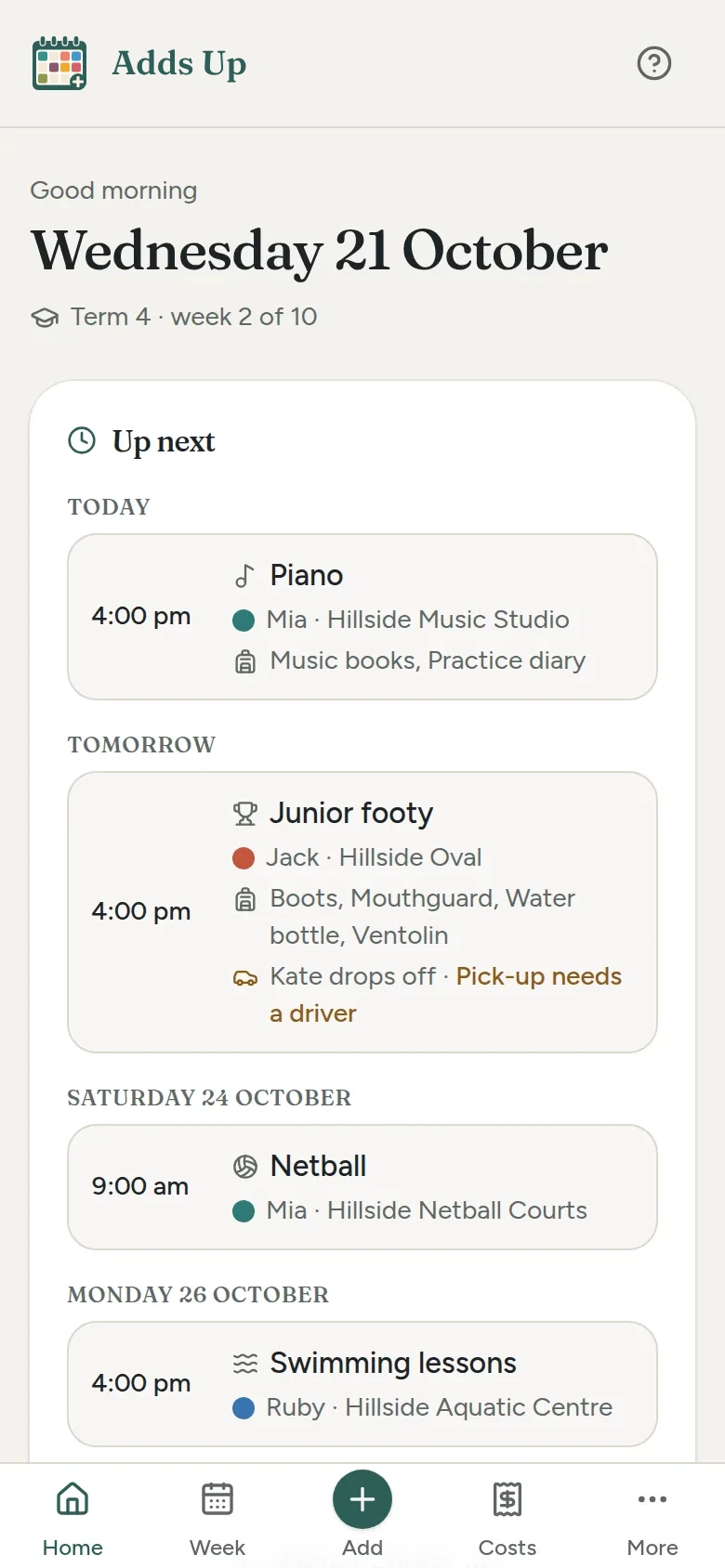
- Home shows today: what's on, where, and what's due soon.
- Each kid's week, or the whole family's, with clashes flagged.
- What to bring for each session, and who's doing drop-off and pick-up.
- School terms and holidays for every state and territory, built in.
- Spending kept per child, from term fees to new boots, so nothing catches you out.
- School fees in instalments, and a budget for each kid if you'd like one.
- Reports to download or print, and a calendar file for your phone.
- Works on a phone, a tablet or a computer.
- Every byte stays on your device. Export a backup any time.
On the phone, the tablet or the laptop
Every screen fits whatever's to hand: the phone at the school gate, a tablet on the kitchen bench, or the laptop on a Sunday night, planning the week ahead.
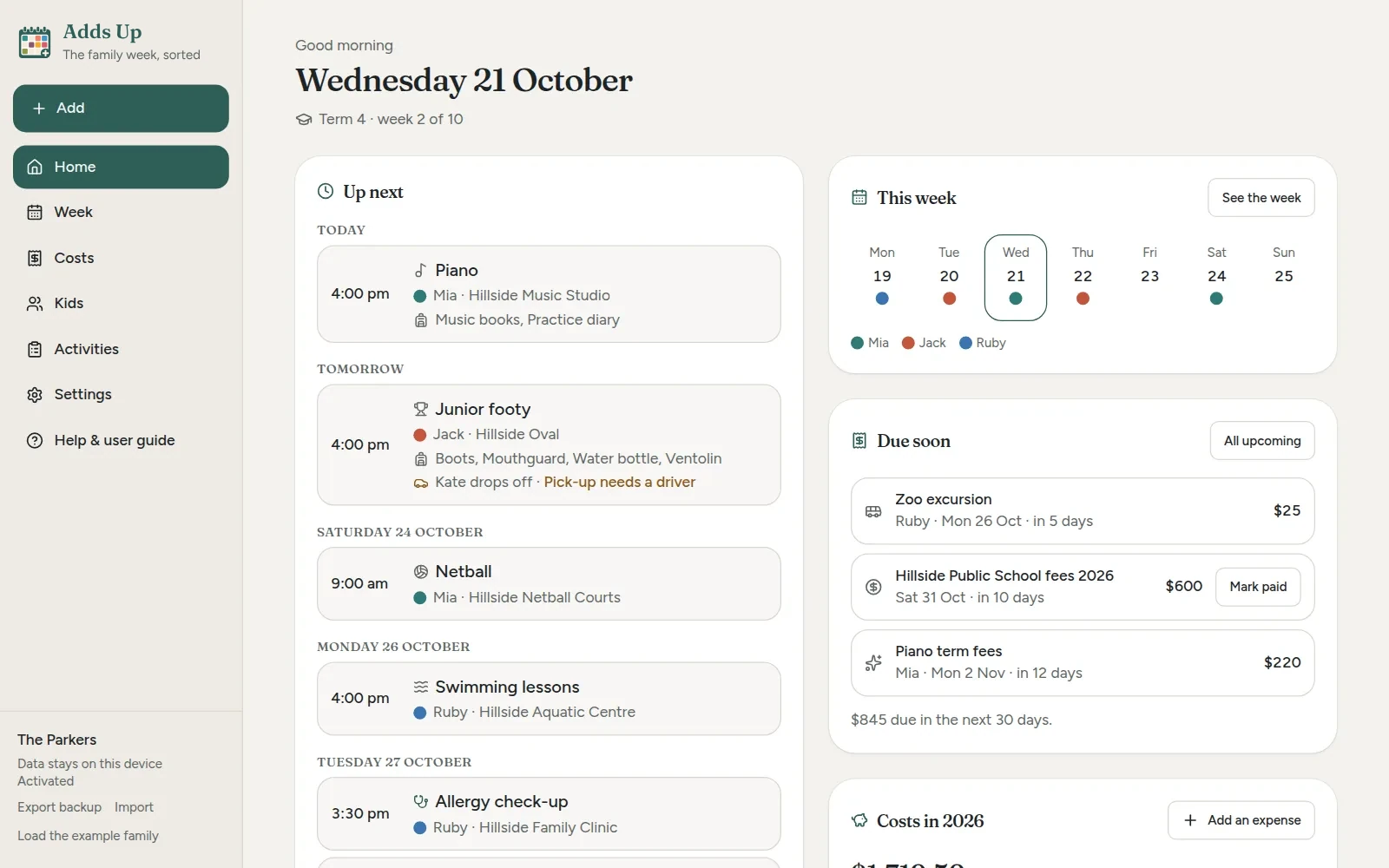
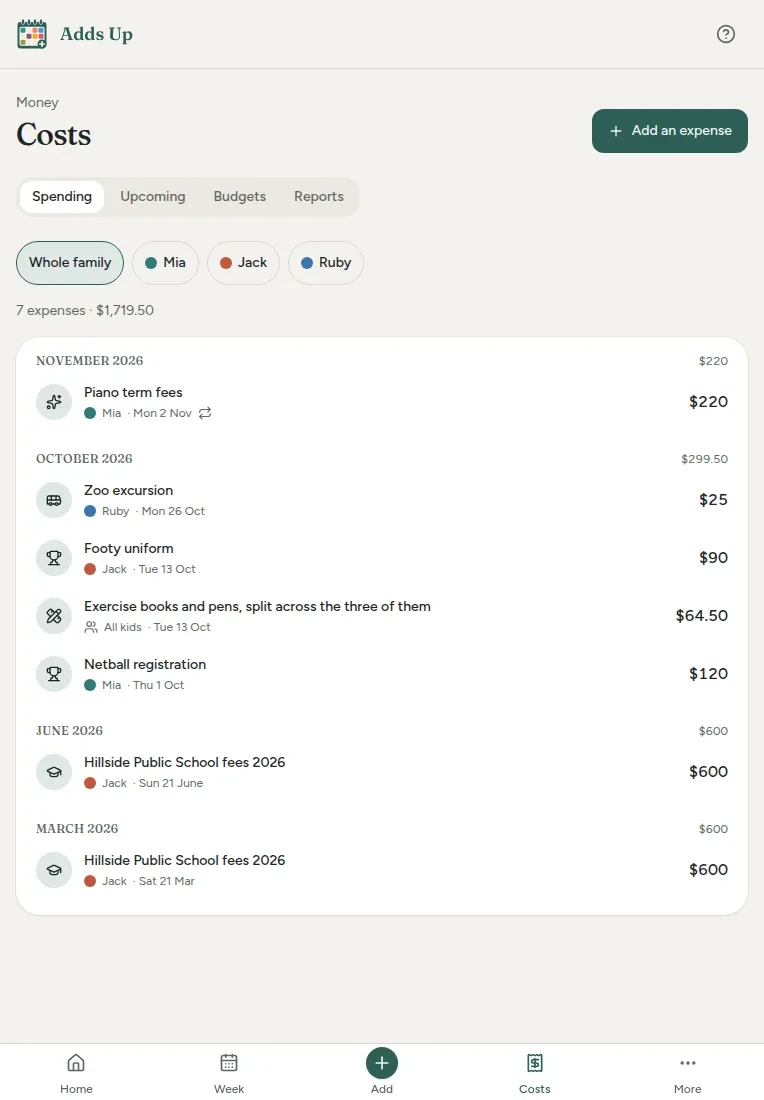
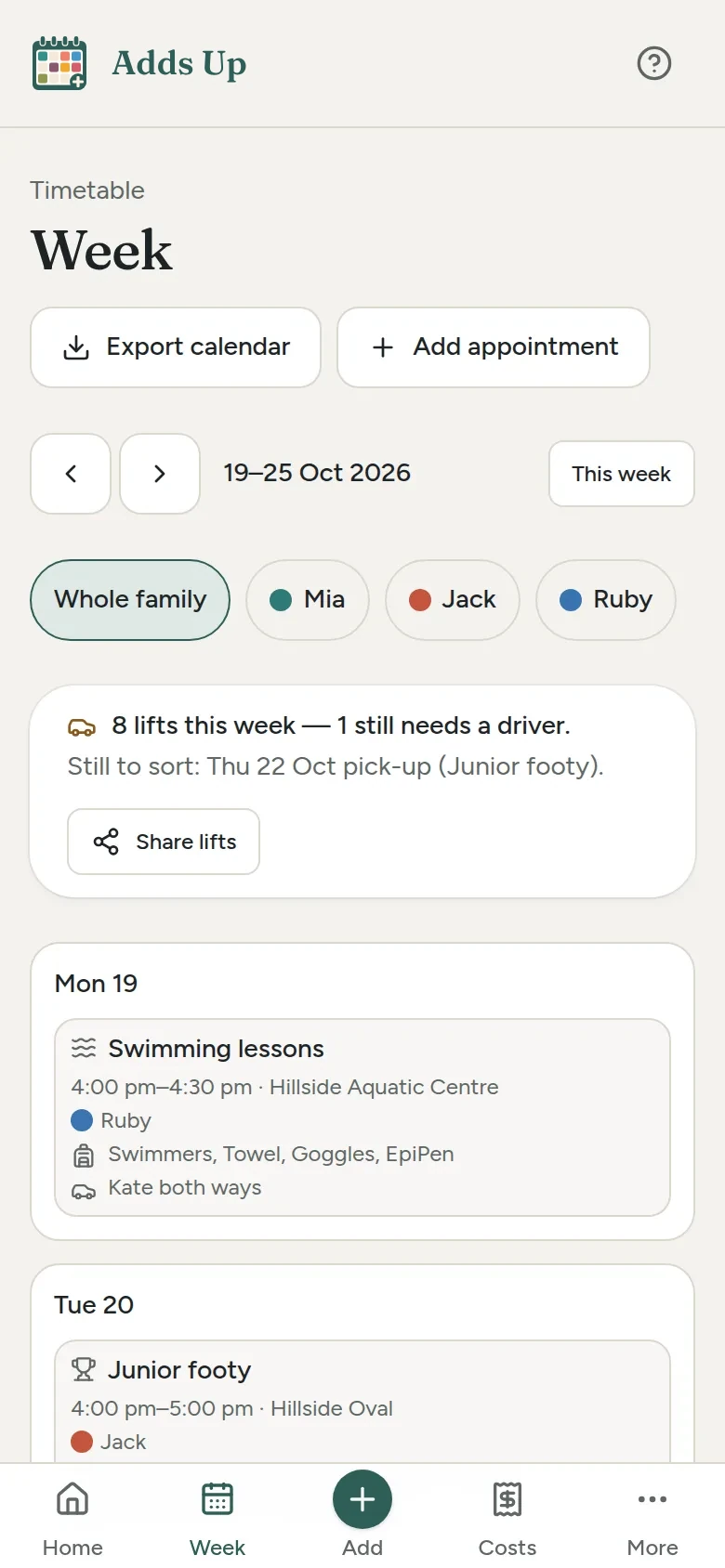
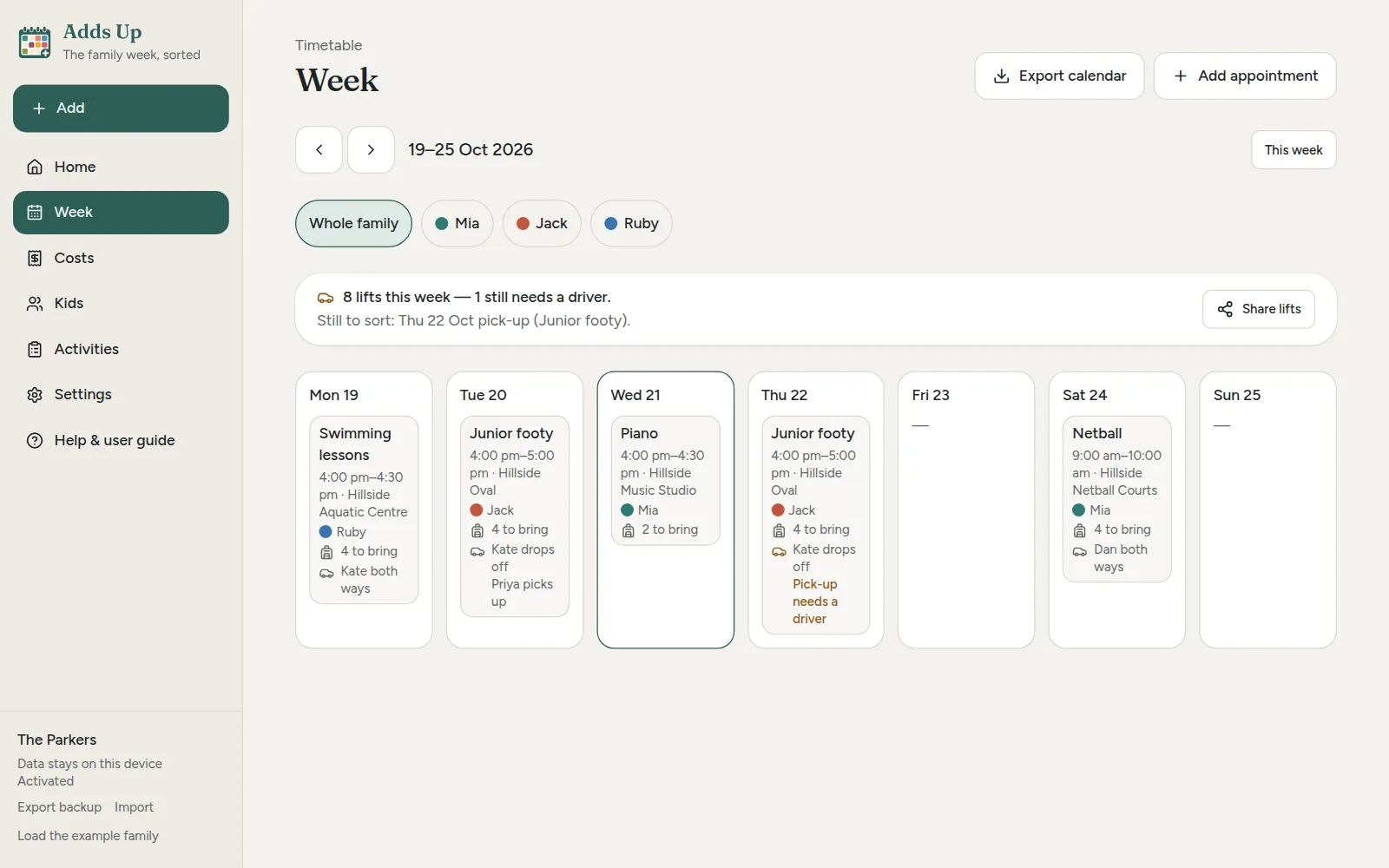
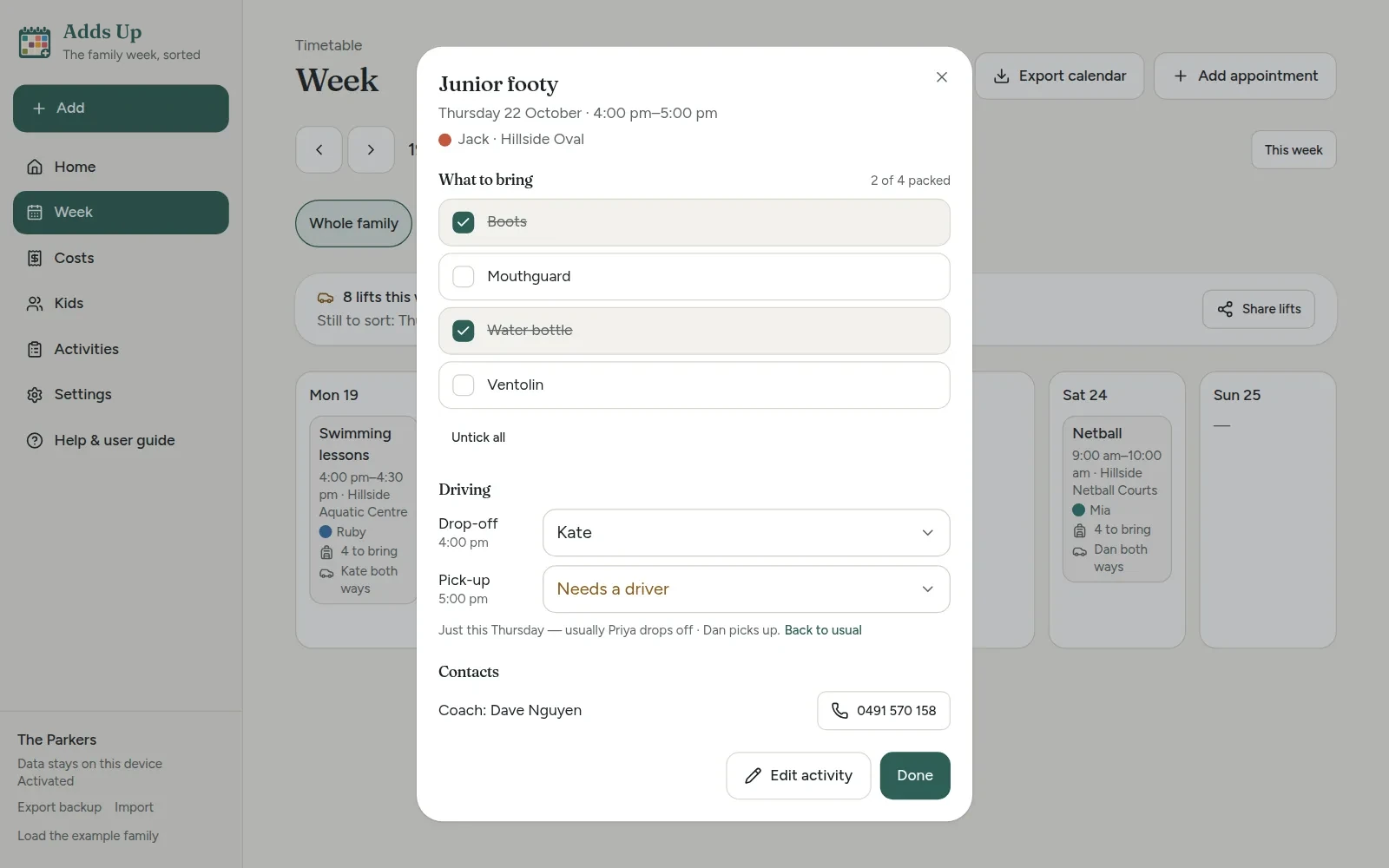
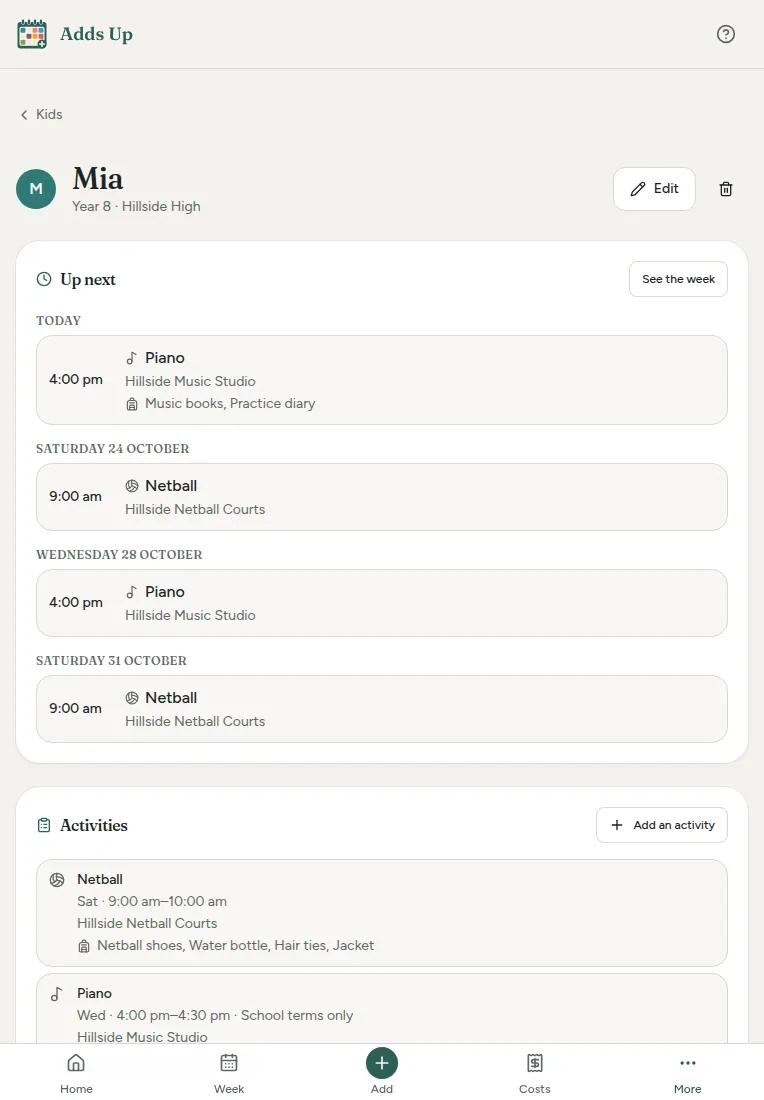
The same made-up example family on a laptop, a tablet and a phone: today, Costs, and the week. Tap any screen to see it full size.
What it does
The parts of family life that usually live in a group chat, a fridge calendar and a pile of receipts.
-
Set it up once
Add netball once — days and times, venue, season dates, the coach's number, and the rego, uniform and fees that come with it — and every session lands on the week by itself. Templates for junior footy, netball, swim squad, dance, music lessons and Scouts or Guides fill in the usual bits.
-
The week, with clashes
Each kid's week or the whole family's, in each child's own colour. When two kids need to be in two places at once, it says so, on the week and on the Home screen, before it's a problem at 3:30 on a Tuesday.
-
What to bring
Give each activity its list — boots, mouthguard, water bottle, the EpiPen — and it shows on today's and tomorrow's sessions. Tick things off as they go in the bag, and the list's fresh again next time.
-
Who's driving
Say who does the drop-off and the pick-up each week: you, the other parent, a grandparent, another family. Swap a single week when plans change, see which lifts still need someone, and share the week's lifts in a message.
-
School terms built in
Term and holiday dates for all eight states and territories, which you can change if your school keeps its own. Mark an activity "school terms only" and it drops off the week in the holidays, and the week tells you what's paused.
-
A page for each kid
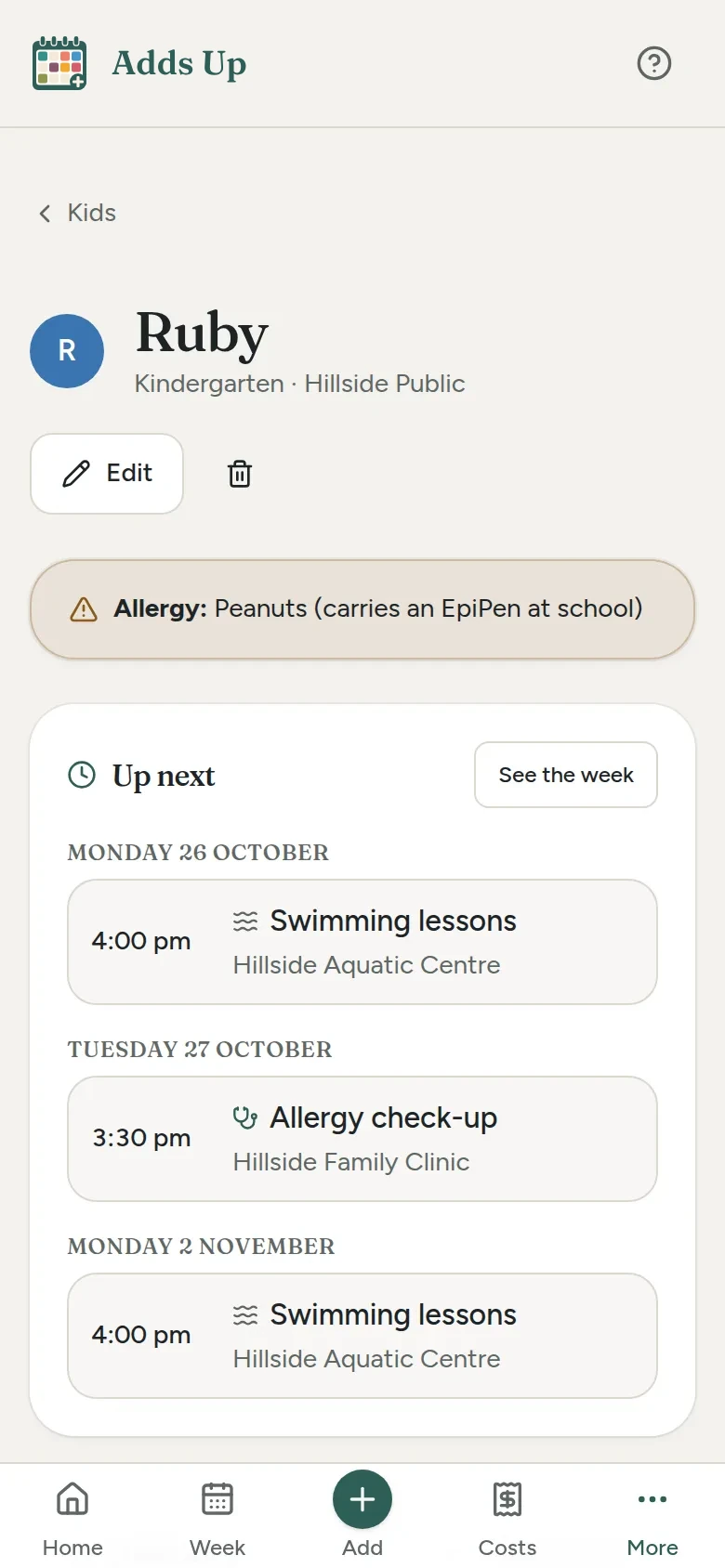
What's next for them, their activities, what's been spent on them this year against their budget, and their health notes: allergies, medications, and the doctor's number with a button to ring it.
-
Two parents, two phones
Send update packs whatever's changed since last time into a small file for the other parent's phone. They import it and it's merged in, not written over. Where you've both changed the same thing, the newer change wins.
-
Costs in three taps
The amount, which kid (or all of them) and what it was for. Add a photo of the receipt if you like; it's shrunk down and kept on the device. Medical, dental and optical costs carry a claim status, and regular costs say when they're next due.
-
School fees in instalments
Put in the year's fees and when each payment is due. Each one shows under Due soon as it comes up, and Mark paid logs it as spent against the right kid.
-
A budget for each kid
Set an amount per child for a school term or the year, and plan ahead for the things they love. The bar fills as the costs come in: green, then amber past 80%, and red once it's over.
-
Reports and a calendar file
Where the spending went, by category, for one kid or all of them, over a term or a year, as a spreadsheet file or a printout. Export calendar puts every activity and appointment into your phone's own calendar.
-
Your year, added up
Come December, each kid's hours at activities, their favourite, who drove the most and what it all came to, with a picture to keep or share. Names and amounts only go on it if you want them there.
A look inside
Real screens from Adds Up, showing a made-up example family, the Parkers, and their three kids, Mia, Jack and Ruby.
How it works
Add the family
Your family's name and your state or territory, so the right school terms come in, then each kid: name, colour, school and year. Naming the family or adding a kid starts the free trial.
Add their activities
Once each: days and times, the venue, the dates, what to bring and what it costs. The week fills itself in from there, school holidays included.
Log costs as they happen
Three taps when you pay for something. Fees in instalments, receipts if you want them, and a budget per kid if you'd like a plan to work to.
Share and back up
Send the other parent an update, put the week in your phone's calendar, and export a backup now and then. It's the only spare copy there is.
Plan your kids' year
Try the free calculator while the app's on its way. Put in what you pay for each child's activities and school, as often as you pay it, and see the year ahead in one place. No sign-up, and nothing you type leaves your device.
Pricing
One subscription covers the household, on up to three devices. No per-child fee, no tiers.
Trial
Every feature 14 days
No card and no sign-up. The 14 days start when you name your family or add your first kid — not when you open the app, and looking around the example family doesn't use them up.
Yearly
A$39.99 a year
The whole price — no GST on top. Renews once a year, with a reminder email about seven days before. Cancel any time in the billing portal or from your receipt email, with no fee.
Monthly
A$4.99 a month
The same, month to month: about A$20 a year more than yearly. Without a subscription Adds Up goes read-only: nothing is deleted, and everything stays on your device to view and back up.
Where your data lives
- Every name, school, activity, cost and health note is stored in your browser on your device
- Receipt photos stay on the device too, never uploaded
- Updates, calendar files and reports are made on the device, and only go anywhere when you send them yourself
- There is no account, no database and no sign-in
- Even the fonts are bundled with the app, so the only third-party call it ever makes is checking your licence key once you've bought one
- Export makes a full backup file, receipt photos included, that you keep wherever you like
What it isn't
- A cloud service. Nothing syncs by itself; updates and backups move data between phones.
- Connected to your bank. A cost goes in when you add it, not from your transactions.
- Medical advice. Health notes are notes, not a medical record.
- Tax or accounting software
Put it on your phone
Adds Up is a web app that installs like a normal app. No app store needed, and once it's on your phone it works with no signal.
iPhone or iPad
- Open Adds Up in Safari.
- Tap the Share button at the bottom.
- Choose Add to Home Screen, then Add.
Android
- Open Adds Up in Chrome.
- Tap the three-dot menu.
- Choose Add to Home screen or Install app.
Laptop or desktop
- Open Adds Up in Chrome or Edge.
- Click the install icon at the right of the address bar.
- It opens in its own window from then on.
Help sheets
Step-by-step sheets with a picture for every step, for iPhone, iPad and Android. Print them, or keep them on the phone.
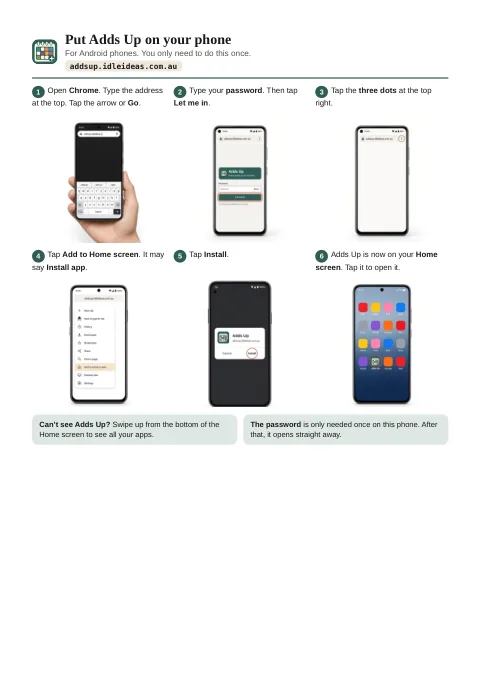
Put Adds Up on your phone
Six steps for Android, then six for iPhone and iPad, from opening the browser to Adds Up's icon on your Home screen.
Open the sheetPDF, two A4 pages, 510 KB.
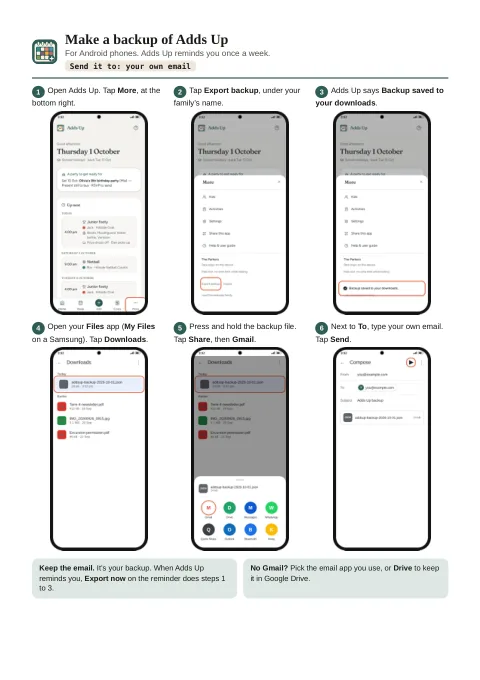
Backups: make one, load one
Make a backup and email it to yourself, then put it back on the same phone or a new one. Two pages for Android, then two for iPhone and iPad.
Open the sheetsPDF, four A4 pages, 855 KB.
Questions
When does my free trial start?
When you name your family or add your first kid. Opening the app, looking around and trying things on the example family don't count, and the app shows how many of the 14 days are left once they've started.
Can both parents use it?
Yes. One subscription covers up to three devices in the household, say both parents' phones and a laptop. There's no live sync, because there's no server to sync through, so each phone keeps its own copy. Send update, in Settings, packs what's changed into a small file you send by message or email, and the other phone imports it and merges it in. Nothing gets written over, and if you've both changed the same thing, the newer change wins.
What happens in the school holidays?
Term and holiday dates for every state and territory are built in, and you can change them in Settings if your school keeps its own. An activity marked "school terms only" — most lessons — drops off the week during the holidays, and the week says what's paused. Anything not marked that way carries on as usual.
Will it remind me about training?
Your phone's calendar can. Export calendar, on the Week screen, downloads a calendar file of every activity and appointment. Open it on your phone and they land in your own calendar, where you can set reminders the way you usually do. It's a snapshot, so export it again after you change something.
Does it keep track of Medicare and health fund claims?
It keeps track of what you've claimed. A medical, dental or optical cost can be marked claimed, pending or not claimable, so you can see what's still to chase. It doesn't talk to Medicare or your health fund, and it isn't medical advice.
Does it work with no signal?
Yes. Once it's installed it runs fully offline — the whole app and all your data are already on the device. You only need a connection to open it the very first time and to activate your licence; after that it re-checks the licence now and then when it's online, and being offline never locks you out.
What happens after the 14-day trial?
Adds Up becomes read-only until you subscribe. Nothing is deleted: every kid, activity, cost and receipt stays on your device to look at, and you can still export a backup and send an update.
What happens if I lose my phone?
Your data was only on that phone, so you'd restore it from your last backup, or from a backup made on the other parent's phone if you've been sending each other updates. Adds Up reminds you once a week to make one; it's a single file you can keep in email, Drive or iCloud.
Is there a guide to get me started?
Yes. The user guide is built into the app, in plain English: getting started, kids, activities, the week, costs, backups, sharing with the other parent and the trial, step by step.
Adds Up is looking for testers.
It's in private testing before it opens. If you've got school-age kids and want to try it on your own family's week, email addsup@idleideas.com.au and say how many kids you have and which state you're in.